Every time you type a message to ChatGPT, describe an image to DALL-E, or tell an AI assistant to summarize a document, you’re writing a prompt. The word gets used constantly in AI coverage, but it rarely gets explained in a way that’s actually useful beyond “the thing you type.”
Understanding what a prompt is, how it works, and what makes a good one is genuinely worth knowing. The output quality from any generative AI tool depends almost entirely on the quality of the input. That’s not a metaphor it’s structural. This guide explains what an AI prompt is at a conceptual level, what the main types are, how prompts work differently in image generation versus text tools, and what a prompt engineer actually does.
The Simple Definition
A prompt is any input you give to an AI system that instructs it to generate a response. In the context of language models like ChatGPT, Claude, or Gemini, a prompt is typically written text a question, instruction, or description. The AI reads the prompt, processes it through its trained model, and generates output based on what it was asked.
That sounds obvious, but the mechanism matters. Unlike a search engine that retrieves existing documents based on keywords, a large language model generates new content in response to a prompt. It’s not pulling a pre-written answer from a database. It’s predicting the most statistically appropriate sequence of words to follow from your input, based on patterns it learned during training.
This means the prompt doesn’t just tell the AI what topic to address it shapes the entire character of the response. The same underlying question, phrased three different ways, produces three noticeably different answers in terms of length, depth, tone, and structure.
What an AI Prompt Looks Like in Practice
A prompt can be as short as a single word or as long as several paragraphs. Length isn’t what determines quality specificity.
Short and vague:
“Write about climate change.”
More specific:
“Write a 300-word explanation of how rising ocean temperatures affect coral reef ecosystems, written for a general audience with no scientific background.”
Both are prompts. The second one produces a more useful response because it specifies the scope (ocean temperatures → coral reefs), the length (300 words), and the audience (non-specialist). The AI doesn’t have to guess and guessing is where the output quality drops.
A prompt can also include context, examples, and specific constraints. It can tell the AI what role to play (“Act as a history teacher”), what format to use (“Format the output as a numbered list”), what to avoid (“Do not include technical jargon”), and what the final product will be used for (“This is for a presentation to a board of directors”).
Every element of context you include removes a variable the AI would otherwise fill in arbitrarily.
What Are the Five Types of AI Prompts?
Different classification systems use different categories, but five prompt types appear consistently across the technical literature and practical guides. They’re worth knowing because each one is suited to different tasks.
1. Zero-Shot Prompts
A zero-shot prompt gives the AI a task with no examples of what the output should look like. You describe what you want and the model figures it out from its training alone.
Example: “Translate this sentence from English to French: The library closes at six.”
Zero-shot prompting works well for clear, common tasks. It’s the approach most people use by default. The limitation is that for complex, specialized, or unusually formatted outputs, the model may not interpret the task the way you intended.
2. Few-Shot Prompts
Few-shot prompting gives the model one or more examples before the actual task. The examples show the AI the pattern you expect, so it can match it for the new input.
Example:
“Convert these sentences to passive voice.
Active: The dog chased the ball. → Passive: The ball was chased by the dog.
Active: The student submitted the essay. → Passive: The essay was submitted by the student.
Active: The chef prepared the meal. → Passive: [your task]”
Few-shot prompting reliably improves accuracy for tasks where the desired format or approach isn’t obvious from the instruction alone. It’s particularly useful for data transformation, classification, and style matching.
3. Chain-of-Thought Prompts
Chain-of-thought prompting asks the model to reason through a problem step-by-step before reaching a conclusion, rather than jumping directly to an answer. Adding “think through this step by step” or “explain your reasoning before giving a final answer” to a prompt activates this approach.
For complex reasoning, math problems, and multi-step decisions, chain-of-thought prompting significantly reduces errors because the model is forced to show its work rather than pattern-match to a conclusion. Errors in intermediate steps become visible, and the model can course-correct within its own reasoning process.
4. Instruction-Based Prompts
These are direct commands telling the model exactly what to do. “Summarize the following in three bullet points. Avoid technical language. Focus on practical implications.” The prompt is a set of instructions the model follows.
Instruction-based prompts work best when you know what you want and can specify it clearly. They’re the most common type for professional and task-oriented use.
5. Role or Persona Prompts
Role prompting assigns the AI a specific identity, expertise, or perspective. “Act as an experienced pediatric nurse. Explain the following symptoms to a parent in reassuring, non-clinical language.”
The role assignment changes how the AI frames, pitches, and structures its response. It’s useful when you need the output to reflect specific domain knowledge, a particular tone, or a defined audience perspective. It also tends to produce more coherent long-form outputs because the model maintains a consistent voice across the response.
Prompts in ChatGPT: How They Work
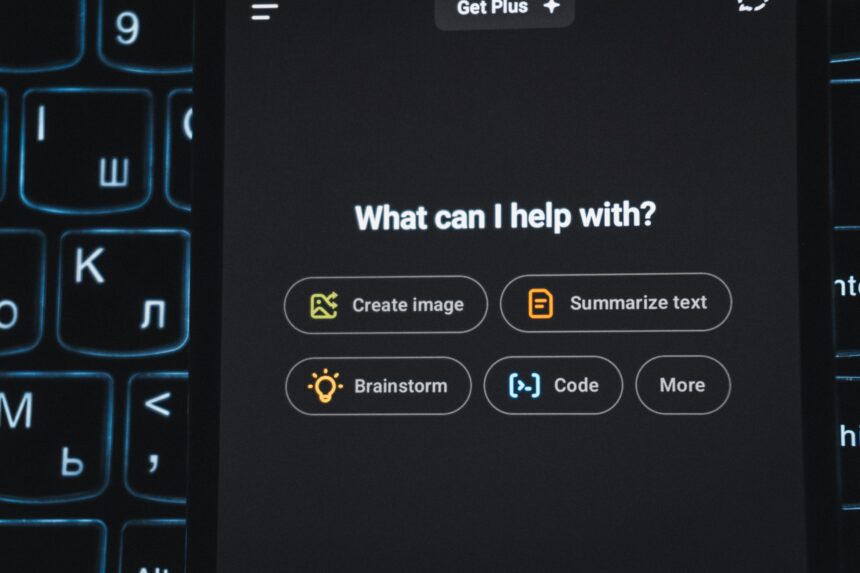
In ChatGPT specifically, every message you type is a prompt. The model reads your message alongside the conversation history the previous prompts and responses in the same session and generates the next response. This means ChatGPT’s context isn’t just the current message; it includes everything that has been said in the conversation so far.
This has a practical implication: you can build on and refine your prompt across multiple turns rather than trying to get everything into one message. “Make it shorter,” “Make the tone more casual,” or “Now format that as a table” are all follow-up prompts that refine the output iteratively. The model remembers what came before and adjusts accordingly.
The size of what the model can “remember” at once is called the context window measured in tokens (roughly words or parts of words). Different ChatGPT plans have different context window sizes, which affects how much of a long conversation the model can actually work with at once.
Prompts in Generative AI: Beyond Text
The concept of a prompt exists across all generative AI modalities, but what constitutes a good prompt varies significantly between them.
Image Generation Prompts
In text-to-image tools like DALL-E, Midjourney, Stable Diffusion, or Adobe Firefly, a prompt is a text description of the image you want to generate. The same word that gives language models room to interpret like “nice” or “good” carries almost no visual information for an image model. Image prompts work best when they’re densely specific about visual properties.
An effective image prompt typically includes:
- Subject: what or who appears in the image
- Setting: where the scene takes place
- Style: photorealistic, oil painting, flat illustration, cinematic
- Lighting: golden hour, studio lighting, overcast, candlelit
- Composition: close-up, wide shot, bird’s-eye view, rule of thirds
- Mood: melancholic, energetic, serene, dramatic
Weak image prompt: “a woman in a park”
Stronger image prompt: “a woman in her 30s reading a paperback book on a wooden bench in a city park, autumn afternoon, warm golden light filtering through falling leaves, shallow depth of field, editorial photography style”
Image generation tools also accept negative prompts a separate field where you describe what you don’t want the image to include. Common negative prompt elements are “watermark,” “extra fingers,” “blurry background,” or “text” elements that AI image generators commonly produce by accident and that a negative prompt suppresses.
Audio and Code Prompts
The same principle extends to audio generation (describing a piece of music in terms of mood, tempo, instrumentation, and genre) and code generation (describing what a function should do, what inputs it should accept, and what it should return). The more specific the description of the desired output, the more closely the generated content matches your actual need.
What Is a Prompt Engineer?
Prompt engineering is the practice of designing, testing, and refining prompts to reliably produce desired outputs from AI systems. A prompt engineer understands how language models interpret different types of inputs, how to structure complex instructions, and how to test prompt variations systematically to identify which produces the best results for a given task.
The role emerged as companies discovered that the difference between a useful and a useless AI output often came down entirely to how the task was specified. In high-stakes applications like customer service bots, legal document analysis, medical triage systems, a well-engineered prompt can mean the difference between an output that works reliably and one that fails in unpredictable ways.
Prompt engineering as a specialized job function has evolved significantly since 2023. In 2026, the role often sits at the intersection of AI deployment and product development, less about finding “magic words” and more about designing structured instruction sets, evaluating outputs at scale, and building systems that use AI reliably for specific business functions. Some researchers argue that as models become more capable, the need for elaborate prompt engineering diminishes better models interpret natural language instructions more accurately and consistently without requiring specialized input formats. This remains an open debate in the field.
What a Prompt Isn’t
A common misconception is that a prompt is a search query. It isn’t. When you type something into Google, you’re asking a search engine to retrieve existing documents ranked by relevance. When you write a prompt to a language model, you’re asking the model to generate a new response. The AI isn’t searching for an answer that already exists somewhere it’s constructing one.
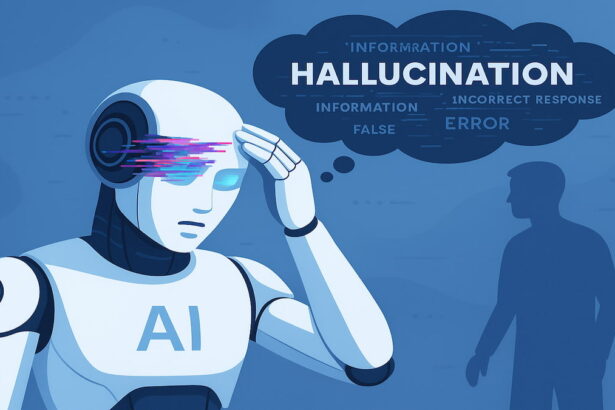
This is also why the term “hallucination” exists in AI: because a language model generates output based on patterns in its training data rather than retrieving verified facts, it can produce confident-sounding responses that are factually incorrect. A search engine returns links to existing documents; a language model generates text that may or may not reflect reality. The prompt shapes the generation, but it doesn’t guarantee accuracy.
Writing Better Prompts: The Core Principles
A few habits distinguish prompts that produce consistently useful outputs from ones that produce variable or disappointing results.
Be specific about the outcome. “Explain this” is a task. “Explain this concept to a first-year university student in under 150 words using one concrete analogy” is a prompt. The additional specificity removes variables that the model would otherwise determine arbitrarily.
Specify the audience. The appropriate explanation of quantum entanglement differs significantly depending on whether you’re addressing a physicist, a high school student, or a complete novice. Name the audience and the model calibrates vocabulary, examples, and depth accordingly.
State the format. Without format instructions, models default to flowing prose with occasional lists. If you need a table, a numbered list, a structured report, or a specific length, say so explicitly.
Give it a role when tone or expertise matters. “Act as a seasoned financial advisor” produces different language choices than “act as a friend explaining personal finance.” The role assignment isn’t just flavoring it changes the register, the vocabulary, and the framing of the response.
Iterate rather than perfect the first prompt. The instinct to write one perfect prompt before sending is usually counterproductive. A good first prompt that you refine through follow-up messages often produces better results than a long, elaborate single prompt that tries to anticipate everything.
The Takeaway
A prompt is any input text, description, instruction, or question that you give to an AI system to generate a response. In text-based tools like ChatGPT, prompts are conversational instructions. In image generators, prompts are dense visual descriptions. The quality of the prompt determines the quality of the output more than any other single factor, because the AI has no access to what you actually need beyond what you describe. Understanding the five main prompt types, the difference between prompting for text versus images, and the core principles of specificity and iteration gives you the practical foundation to use any generative AI tool more effectively without needing a prompt engineering certification to get there.
Suggested Internal Links:
- Article: How to Write Better Prompts for AI“how to write better prompts for more useful results”
- Article: How to Use ChatGPT for Beginners “how to use ChatGPT effectively”
- Article: What Is Generative AI? “how generative AI uses prompts to create content”
- Article: What Are AI Hallucinations? “why AI sometimes gets prompts wrong and hallucinates”
- Article: How to Use AI to Create Images “writing prompts for AI image generation”
External Sources:
- Google for Developers — Machine Learning Crash Course: “Prompts and Prompt Engineering”
- AWS — “What is Prompt Engineering?”
- IBM Think — “What is Prompt Engineering?”
- Anthropic — “Prompt Engineering” documentation
- MIT Sloan Management Review — “The Future of Prompt Engineering”
- Zapier — “Prompt Engineering 101: 7 Types of AI Prompts”
Read More Articles On AI Global Class