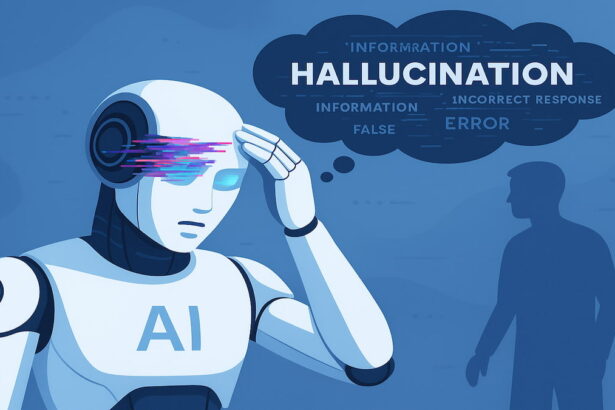
You got an answer from a chatbot, used it for something that mattered, and then discovered it was wrong. Or you’re just suspicious the answer looks right, but something feels off. Either way, you’re in the same place: wondering what to do next.
This guide is specifically about response the practical steps for what to do once you’ve received or suspect a wrong AI answer. It covers how to fact-check effectively, how to correctly push back in a conversation, what to do when the wrong answer has already influenced something you’ve done, and how to change your habits so it’s less likely to happen again. The why-it-happens explanation is in a companion article; this one is entirely about what comes next.
First: Distinguish Between “Wrong” and “Different From What I Expected”
Before taking any action, it’s worth a moment to consider whether the answer is genuinely wrong or just surprising.
AI tools occasionally give correct answers that contradict a commonly held belief, challenge an assumption, or conflict with something you read somewhere. Pushing back on a correct answer because it surprised you can actually make things worse some models are sycophantic, meaning they’re inclined to agree with you rather than maintain accuracy under pressure. If you tell a chatbot “that doesn’t seem right,” it may abandon a correct answer to satisfy you.
So before correcting an AI, ask: do I have specific reason to believe this is wrong, or does it just feel unexpected? The more concrete your reason a specific date you know to be different, a source that contradicts the claim, a direct personal experience that doesn’t match the more confident you can be in pushing back. Vague doubt is worth investigating. Specific evidence is worth acting on.
Step 1: Fact-Check the Answer Before You Act on It
If you haven’t already used the information, this is the most important step: verify before relying on anything important.
For factual claims (dates, statistics, events, scientific findings): search independently using a search engine and look at multiple reliable sources. For historical facts, look at .edu or established reference sources. For scientific claims, look for peer-reviewed publications or established institutions. For legal or medical information, look for official bodies, government sites, or professional organizations.
For citations and references the AI gave you: search for the exact title and author combination in Google Scholar or your library database. If you can’t find the paper after a direct search, it may not exist. Citation fabrication inventing a real-sounding paper is one of the most well-documented AI failure modes. Never cite something you found through AI without personally verifying the source exists and says what you think it does.
For time-sensitive information: check whether the AI tool you’re using has live web access enabled. Many chatbots run from training data with a cutoff date, meaning anything about recent events, current prices, laws, policies, or the status of ongoing situations may be out of date even if it was accurate at training time.
Tools that help you fact-check AI outputs:
- Perplexity AI (free) returns cited answers with links to sources, which you can click and verify independently
- Google Search with site-specific operators searching “site:gov” or “site:edu” narrows results to government and academic sources
- Wolfram Alpha (free) for mathematical and scientific claims, computes rather than generates, so it checks calculations rather than predicts them
Step 2: Correct the AI Within the Conversation
If you’re still in an active session and want a better answer, the most effective correction is specific and evidence-based.
What works:
Tell the AI what you know to be true and ask it to revise. For example: “I believe this is incorrect. According to [source / what I know], the correct answer is [X]. Can you revisit your response with that in mind?”
That kind of correction does several things: it gives the model new information to work from, it signals that you want a revision rather than confirmation, and it gives you a better starting point for evaluating what comes next.
What doesn’t work as well:
Vague pushback like “are you sure?” or “I don’t think that’s right.” Without specifics, this kind of prompt triggers sycophancy the model agreeing with you because you expressed doubt, not because it’s genuinely revising. The new answer may be no more accurate than the first one, just phrased as if the model had reconsidered.
Asking for uncertainty acknowledgment:
If you’re unsure whether the answer is correct and want the model to flag its own doubt rather than bluff through, try: “How confident are you in this? Please indicate which parts of this answer you’re less certain about and where I should verify independently.” Models respond meaningfully to this kind of request they often do know, in some approximate sense, where their answer is on stronger or weaker ground.
Asking for step-by-step reasoning:
For math, logic, or multi-step factual questions, ask the model to show every step of its reasoning. Errors in long chains of reasoning are often visible once the intermediate steps are laid out. An answer that jumped to a conclusion may have made a faulty assumption in step three that becomes obvious when the whole process is written out.
Step 3: If You’ve Already Used the Wrong Answer
This is the scenario people least want to think about you acted on incorrect AI output before you discovered it was wrong. The appropriate response depends heavily on what the wrong answer was used for.
In academic work
If you included a wrong fact, fabricated citation, or inaccurate claim in submitted work, the most important thing to do is get ahead of it contact your instructor before someone else finds the error. Acknowledging a mistake proactively is significantly better for your academic record than having it discovered. Many institutions treat voluntary disclosure differently from discovered plagiarism or fabrication.
For work you haven’t submitted yet: go through the piece specifically looking for AI-sourced claims and verify each one independently before you submit. Don’t just re-read actively search for confirmation of specific claims against primary or secondary sources.
In professional or workplace contexts
If wrong AI output has made it into a report, email, presentation, or document that has been shared with others, the practical question is whether the error is material (will it change decisions or create problems?) or minor (a wrong date in a historical reference that doesn’t affect the substance).
For material errors: address them directly as soon as you’ve confirmed the mistake. A brief, honest correction is less damaging than the error persisting or being discovered by someone else. Most professional contexts treat prompt correction of honest mistakes reasonably.
For minor errors in already-sent materials: use judgment about whether the correction is worth the disruption it causes. A wrong statistic in a footnote of a document that’s been archived probably doesn’t warrant a follow-up email to everyone who received it. A wrong figure in a financial projection does.
In personal decisions
If AI’s wrong answer influenced a personal decision a health choice, a financial decision, a travel plan that went wrong the immediate concern is usually damage control rather than attribution. Focus on fixing the practical problem first, then consider whether your process for using AI needs to change.
For health-related wrong answers that led to actual harm: contact a healthcare professional. This isn’t about the AI it’s about getting the right guidance from a qualified person. AI tools explicitly advise consulting professionals for medical decisions, and this is why.
Step 4: Report It (When It’s Worth Doing)
Most major AI platforms have built-in feedback mechanisms a thumbs-down icon, a “report” option, or a feedback button on individual responses. Using these genuinely helps. These feedback signals are used to improve model behavior in future training the same mechanism (RLHF reinforcement learning from human feedback) that shaped the model in the first place. A thumbs-down on a hallucinated fact sends a signal that this kind of output is undesirable.
This is most useful for:
- Clear factual errors (not matters of opinion or interpretation)
- Fabricated citations
- Outdated information confidently presented as current
- Logically inconsistent reasoning
It’s less useful and actually counterproductive for flagging answers that were correct but that you disagreed with. The feedback mechanism works best when it accurately reflects accuracy failures, not preference mismatches.
Most platforms also have more formal reporting mechanisms for serious problems. OpenAI has a safety reporting form. Anthropic has a similar channel. Google has feedback pathways built into Gemini. If you’ve encountered an AI response that produced genuine harm, misled you on a high-stakes topic, or generated something clearly inappropriate, those formal channels are more appropriate than an in-conversation thumbs-down.
Step 5: Adjust How You Use AI to Prevent It Next Time
One wrong answer from AI is an event. A pattern of getting burned by wrong AI answers is a habit problem. Once you’ve handled the immediate situation, it’s worth thinking about what process change would reduce the likelihood of the same thing happening again.
Build verification into your workflow
The most reliable preventative is treating AI outputs as first drafts by default rather than final answers. This doesn’t mean not using AI it means never sending, submitting, or acting on important AI-generated content without a verification step first. Even a ninety-second check of one or two key claims per response significantly reduces risk.
Match the task to the tool’s strengths
AI tools produce more errors on some types of tasks than others. Complex multi-step reasoning, highly specialized domain knowledge, recent events, and obscure facts all carry higher error rates than well-established general knowledge, writing assistance, and clear instructional tasks.
Routing your highest-stakes factual questions to tools with live web access (Perplexity, ChatGPT with browsing enabled, Gemini with Google Search) reduces the training-cutoff problem entirely. For mathematical calculations, pairing AI with Wolfram Alpha for verification adds a computational check. For academic research, requiring that every citation be found in a real database before use eliminates the fabricated-citation problem at the source.
Ask better questions
How you phrase a question significantly affects answer quality. Vague questions produce vague answers that are harder to fact-check because there’s less specificity to verify. Specific questions including your context, your constraints, and any relevant facts you already know give the model more to work from and reduce the gap-filling that produces hallucinations.
Adding “Please indicate if you’re uncertain about any part of this” to questions on topics where you know the model’s training data might be sparse, outdated, or limited produces meaningfully more hedged responses. Models respond to explicit permission to express uncertainty without that invitation, they often default to confident completion.
Start new sessions for new topics
Context drift is a real phenomenon in long conversations a model can lose track of constraints, facts, or corrections established early in a very long session because the beginning of the conversation is no longer in its active context window. For a new, unrelated topic, starting a fresh conversation removes that risk entirely.
A Quick Reference for Different Scenarios
| Situation | First Action |
|---|---|
| Just received a suspicious AI answer | Fact-check before acting — search independently |
| AI gave a fabricated citation | Search for the exact paper/source before using it |
| Need to correct the AI in conversation | State specifically what’s wrong and what the right information is |
| Already used wrong info in submitted work | Contact your instructor proactively before discovery |
| Wrong answer in a shared professional document | Determine if error is material, then address directly |
| Wrong health or medical information | Disregard and consult a healthcare professional |
| Want to help prevent it for others | Use the thumbs-down or report function on the platform |
The Underlying Habit That Makes Everything Else Easier
The most useful long-term adjustment isn’t a single action it’s developing a default posture of informed skepticism toward AI outputs on topics that matter. That doesn’t mean distrust everything or never use these tools. It means extending the same critical eye you’d apply to a Wikipedia article or an anonymous Reddit comment to AI responses on consequential subjects.
The combination of confident tone, coherent prose, and well-organized structure makes AI outputs feel more authoritative than their accuracy warrants on some topics. Recognizing that fluency and accuracy are separate properties — that a beautifully written wrong answer is still wrong is the most useful mental model for working with these tools reliably over time.
The Takeaway
When AI gives a wrong answer, the sequence is: verify through independent sources before acting further, correct the AI with specific evidence rather than vague doubt, address any harm from already-using the wrong information proportionally and promptly, report clear errors through the platform’s feedback mechanisms, and adjust your process to reduce the same failure in the future. None of these steps require you to stop using AI tools. They require treating the output with the same critical judgment you’d apply to any information source on high-stakes topics which is both reasonable and, once it becomes habit, genuinely fast.
Suggested Internal Links:
- Article: Why Does AI Sometimes Give Wrong Answers? “why AI gives wrong answers in the first place”
- Article: What Are AI Hallucinations? “AI hallucinations: what they are and why they happen”
- Article: How to Write Better Prompts for AI “writing better prompts to reduce wrong answers before they happen”
- Article: Best AI Research Tools for Students “AI research tools that reduce factual error risk through source-grounding”
- Article: How to Use AI Without Cheating“using AI responsibly and verifying outputs in academic work”
External Sources:
- Decagon.ai — “What is an AI hallucination? Causes, examples & how to prevent them”
- FutureAGI.com
- Coursera — “AI Hallucination Explained: What It Is and How to Reduce It”
- OpenAI — Help Center, feedback and reporting documentation
- Anthropic — Responsible scaling policy and feedback channels
- IBM Think — “What are AI hallucinations?” training-objective explanation of sycophantic behavior
Read More On AI Global Class