
The promise of AI lesson planning is real; teachers who use AI regularly report getting meaningful prep time back each week. But most teachers who try it once get a bland, generic plan, decide it isn’t worth the effort, and go back to doing it by hand. The problem is almost never the tool. It’s that a one-line request (“make me a lesson plan on fractions”) gives the AI nothing to work with, so it returns the most average plan imaginable.
This guide fixes that. You’ll get a repeatable prompt structure that produces plans you can actually teach from, the best free tools for the job and when to use each, worked examples you can copy, and the review steps that keep AI output accurate and standards-aligned. The goal isn’t to hand your planning to a machine; it’s to get a strong first draft in minutes so your time goes to the parts that need a teacher’s judgment.
What AI Is Good At Here and What It Isn’t
Before the how-to, a clear-eyed split, because it shapes everything.
AI is genuinely strong at the structural, time-consuming scaffolding of a lesson: laying out objectives, sequencing activities, drafting warm-ups and exit tickets, generating differentiated versions, writing discussion questions, and producing rubrics and worksheets. This is the repetitive “typing” work that eats evenings.
What it can’t do is know your class. It doesn’t know that third period is right after lunch and needs movement, that two students have IEPs requiring specific supports, or that your district just adopted a new standard framework. It also gets facts wrong sometimes and can produce plausible-looking activities that don’t actually work in a real room. So the model to hold onto: AI drafts, you direct. The pedagogy, the local context, and the final judgment stay with you.
Step 1: Choose the Right Tool for the Job
You have two broad options, and the best choice depends on how much control you want.
General assistants (ChatGPT, Gemini, and Claude) are the most flexible. They’ll build a plan around exactly your specifications and adapt endlessly through conversation. The trade-off is that you have to tell them what a good plan looks like; they start from a blank page.
Purpose-built teacher tools (MagicSchool, Diffit, Brisk, and Gemini in Classroom) give you a structured lesson plan form instead of a blank prompt. You fill in grade, topic, and standard, and they generate a formatted plan. Easier to start with, but sometimes more rigid for unusual requests.
A few pointers on picking:
- If you’re a US K–12 teacher, ChatGPT for Teachers is free for verified educators and keeps your inputs out of model training by default, the better choice for anything sensitive.
- If your school runs on Google Workspace, Gemini in Classroom is included free and can pull in your real class context.
- If you want the least friction, MagicSchool’s free tier offers a dedicated lesson-plan generator among its many teacher tools.
For most teachers, a general assistant plus one teacher-specific tool covers everything. You don’t need all of them.
A quick but important privacy note: keep identifiable student information (names, grades, IEP details) out of consumer AI tools, since those may use your inputs to train their models. Use the education-specific plans for anything involving real student data.
Step 2: Build the Prompt (This Is Where It’s Won or Lost)
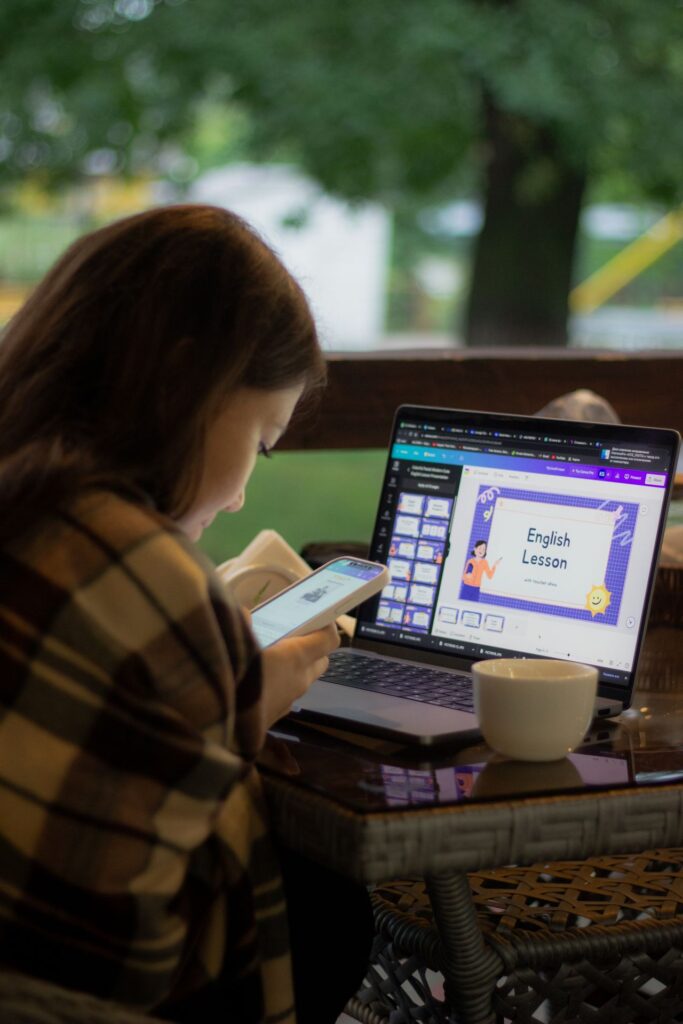
The difference between a useless plan and a usable one is the quality of your prompt. The fix is to give the AI the same context you’d give a student teacher taking over your class. A reliable structure includes six things:
- Grade level and subject: “9th-grade biology”
- Topic and time: “cell division, one 50-minute period”
- Learning objective or standard: paste the exact standard if you have one
- Your students’ class size, ability range, and any language or accessibility needs
- Your constraints: available materials, tech access, classroom setup
- The format you want: objectives, warm-up, main activity, assessment, homework
Here’s a weak prompt versus a strong one:
Weak: “Create a lesson plan on the water cycle.”
Strong: “Act as an experienced 6th-grade science teacher. Create a 45-minute lesson plan on the water cycle for a mixed-ability class of 28, including three English-language learners. Objective: students can explain evaporation, condensation, and precipitation and diagram the cycle. We have a projector but no lab. Structure it as objective, 5-minute warm-up, main instruction, one hands-on group activity, a quick formative check, and a differentiated exit ticket with a simpler and a more advanced version.”
Same topic, completely different result. The second gives the AI the audience; the goal, the constraints, and the output shape the four things it can’t guess.
If you’re unsure what to include, try adding one line to any prompt: “Before you write the plan, ask me any questions that would help you make it better.” The AI will surface the gaps for you.
Step 3: Refine Through Conversation
The first draft is a starting point, not the final plan. This is the step most people skip, and it’s where the real quality comes from. Because the AI remembers the conversation, you can steer it turn by turn:
- “The main activity needs less prep; I don’t have time to cut out cards.”
- “Make the exit ticket harder; this group is ahead.”
- “Add a five-minute contingency in case the group work runs short.”
- “Rewrite the instructions for the ELL students at a lower reading level.”
- “Turn the objective into student-friendly ‘I can’ language.”
Think of it as editing with a fast assistant. Each round costs seconds and gets the plan closer to something you’d genuinely stand in front of a class and teach.
Step 4: Generate the Supporting Materials
Once the plan is solid, the same conversation can produce everything that hangs off it, which is where the biggest time savings actually live. Ask for:
- The worksheet or handout the activity requires
- A short quiz or set of exit-ticket questions aligned to the objective
- A rubric for any graded task
- Differentiated versions of the reading at two or three levels
- A slide outline you can drop into Slides or PowerPoint
- Discussion questions that push toward higher-order thinking
Because these are generated from the same context, they stay consistent with the lesson instead of feeling bolted on. For leveled reading specifically, a tool like Diffit tends to do this better than a general chatbot; for slides, Gemini inside Google Slides or a similar integration can build the deck directly.
A Realistic Worked Example
Say you teach 8th-grade English and need a lesson introducing persuasive writing. Here’s how the process runs in practice.
Your prompt: “Act as an 8th-grade English teacher. Create a 50-minute lesson introducing persuasive writing for a class of 25 with a wide reading range. Objective: students identify ethos, pathos, and logos and use one in a short paragraph. I have Chromebooks. Format: objective in ‘I can’ language, 7-minute hook, direct instruction, guided practice with a real example, independent writing, and an exit ticket. Keep instructions ELL-friendly.”
The draft comes back with a structured plan. You then refine: “The hook is flat; make it a short, surprising advertisement analysis instead.” And: “Add a word bank for the independent writing to support ELLs.”
Then you extend it: “Create the exit ticket as three questions,” and “Draft a simple rubric for the paragraph focused on correct use of one persuasive technique.”
In roughly ten minutes you have a plan, differentiated support, an exit ticket, and a rubric. What you spend the next ten minutes on is the important part of reading it critically as the teacher who knows the room.
Step 5: Review Before You Teach Every Time
This step is non-negotiable, and it’s where responsible AI planning separates from lazy AI planning. Every major education provider and district guidance says the same thing: AI output must be checked before it reaches students, because these tools can make mistakes and can carry subtle bias.
Run every AI-generated plan through a quick checklist:
- Accuracy. Are the facts, examples, and explanations correct? AI can state wrong things confidently.
- Standards fit. Does it actually align with your standard, not just the topic? Verify against the real standard wording.
- Timing realism. Does the plan fit your actual period, including transitions? AI routinely underestimates how long real activities take.
- Appropriateness. Is the reading level, content, and tone right for your specific students?
- Bias and representation. Do examples and scenarios represent your students fairly?
- Feasibility. Can this actually run with your materials, space, and tech?
The Gallup–Walton teacher survey found that most teachers who use AI report it improves the quality of their planning materials, but that benefit assumes a teacher is editing the output, not printing it blind. The review is what turns a generic draft into your lesson.
Common Mistakes to Avoid
Accepting the first draft. The single biggest error. The first plan is raw material; the value is in refining it.
Being vague about time and materials. If you don’t state the period length and what you have, you’ll get a plan that assumes a lab you don’t have and 90 minutes you don’t get.
Skipping the standards check. “About photosynthesis” is not the same as meeting a specific standard on energy transfer. Paste the exact standard and verify alignment yourself.
Feeding in student data. Keep real names and records out of consumer tools. Describe students generically (“three ELLs, two with reading IEPs”) instead.
Outsourcing the judgment. Let AI handle the drafting and formatting. Keep the decisions about what your particular students need; that’s the part that can’t be automated and the part that makes the lesson yours.
The Takeaway
Using AI to create lesson plans works when you treat it as a fast first drafter, not a replacement planner. Give it real context: grade, objective, time, your actual students, your constraints, and the format you want, then refine the draft through conversation and generate the worksheets, quizzes, and rubrics from the same thread. The time you save on typing and formatting is real, but it only becomes good teaching after you review the plan for accuracy, standards fit, and whether it truly suits your class. Start with one lesson this week, keep the parts that work, and let your own results decide how far to take it.
External Sources:
- OpenAI—ChatGPT for Teachers official page and Help Center
- Google for Education—Gemini in Classroom lesson-planning documentation
- MagicSchool AI—lesson plan generator and privacy/compliance pages
- Gallup / Walton Family Foundation — “Teaching for Tomorrow” teacher AI survey (2025)
- Diffit—teacher tools and pricing
Check Other Articles on AI Global Class