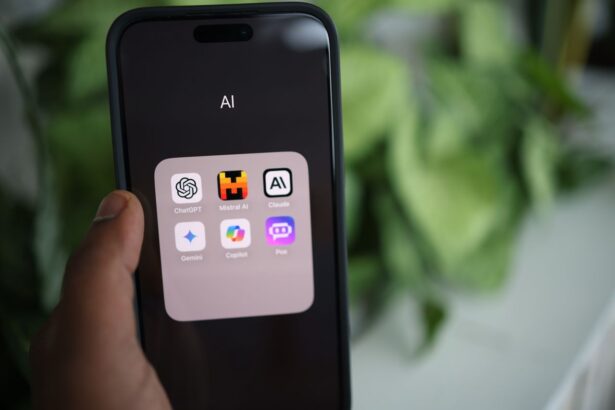
Turning a dense textbook chapter or a messy lecture recording into clean, organized study notes used to be an evening’s work. AI tools now do it in a couple of minutes: upload your material and get structured notes, summaries, and key points back. The catch most students discover too late is that the neatest AI notes aren’t automatically the most useful ones, and some tools handle textbooks and PDFs far better than others.
This guide compares the best AI tools for making study notes, sorted by what each actually does well: generating notes from your own PDFs and textbooks, producing accurate source-grounded notes, and turning notes into active study material. You’ll get free options, PDF support, honest limitations, and the one thing that separates notes that help you learn from notes that just look tidy. Whether you’re condensing a textbook for exams or cleaning up lecture notes, the aim is matching you to the right tool and using it in the way that actually improves recall.
A Quick but Important Point First
Before the tools, one thing worth knowing: the best AI note tool is the one you actually study from, not just generate. Reading AI-made notes is passive, and passive review builds weak memory. The tools below are genuinely useful for turning raw material into organized notes fast but their real value comes when you use those notes actively (self-testing, question-and-answer formats) rather than just rereading them. Keep that in mind as you pick; a tool that turns notes into quizzes may serve your learning better than one that only produces pretty summaries.
Quick Comparison
| Tool | Best for | Free? | Handles PDFs/textbooks? |
|---|---|---|---|
| NotebookLM | Accurate notes from your sources | Yes (generous) | Yes (strong) |
| ChatGPT | Flexible notes & formatting | Yes | Yes (upload) |
| Claude | Long textbooks, detailed notes | Yes | Yes (strong) |
| Google Gemini | Notes inside Google tools | Yes | Yes |
| Quizlet / study apps | Notes into flashcards & quizzes | Limited free | Varies |
NotebookLM: Best for Accurate, Source-Grounded Notes
For making study notes from your own material, Google’s NotebookLM is the standout free option. You upload your documents lecture slides, readings, textbook chapters (as PDFs) and it generates notes, summaries, and study guides grounded only in those sources. That grounding is the key advantage: unlike a general chatbot drawing on its whole training, NotebookLM sticks to what you gave it, so the notes match your actual course and it’s far less likely to invent facts.
It also goes beyond plain notes. It can generate a study guide, create practice questions, and produce audio overviews podcast-style discussions of your material you can review on the go. The free tier is generous and works with any Google account.
Best for: students who want accurate notes tied to their specific course materials.
Limits: it only works from what you upload, so thin sources make thin notes, and it processes files on Google’s servers (not ideal for confidential material). Still verify key facts, as with any AI.
ChatGPT: The Flexible All-Rounder
ChatGPT is the most versatile note-maker. Paste your notes or upload a document, and ask for exactly the format you want an outline with headings, Cornell-style notes, question-and-answer pairs, a bulleted summary, or a comparison table. You can refine endlessly through conversation.
Its flexibility is the main strength: you’re not stuck with one output style. A prompt like “Turn these notes into structured study notes with headings and bolded key terms, then add five self-test questions” gets you organized notes and active study material in one go. The free tier covers this well, though free accounts have daily limits on file uploads.
Best for: students who want control over note format and the ability to turn notes into questions.
Limits: it can state things inaccurately, so verify facts; and on consumer plans, inputs may be used for training unless you opt out.
Claude: Best for Long Textbooks
Claude handles long documents especially well, making it a strong free pick for making notes from lengthy textbook chapters or dense readings. It tends to produce thoughtful, well-organized notes that preserve nuance, and you can ask it to break a big chapter into sections and note each one.
For a student facing a 40-page chapter, Claude’s ability to work through long material and summarize it coherently is a real asset. Its free tier accepts PDF uploads subject to daily limits.
Best for: making notes from long or complex textbook material.
Limits: free-tier daily caps can interrupt heavy use, and like all AI it can occasionally misstate details check anything important.
Google Gemini: Best if You Use Google Tools
If your notes live in Google Docs or you’re in the Google ecosystem, Gemini can generate and clean up notes directly in your documents, and it reads PDFs too. It’s convenient for students already working in Google tools, removing the friction of moving material between apps. Google’s 2026 student offer also gives eligible college students a free year of its AI plan, which includes expanded Gemini and NotebookLM access worth checking if you qualify.
Best for: students who work in Google Docs and want integrated note help.
Limits: capable but not dramatically different from other chatbots for note-making; verify facts as always.
For Turning Notes Into Active Study Material: Quizlet and Study Apps
Some tools focus less on generating notes and more on turning them into study material. Quizlet and various AI study apps can take your notes and create flashcards and practice quizzes, which is where notes become genuinely useful for memory. Quizlet has a free tier, with some AI features behind a subscription verify current terms.
These are worth pairing with a note-generating tool: make your notes in NotebookLM or ChatGPT, then convert the key points into flashcards for active self-testing. That combination covers both halves of the job organizing the material and actually studying it.
Making Notes From a PDF or Textbook

Since so many students specifically want to make notes from PDFs and textbooks, a few practical pointers:
- Text-based PDFs (exported from a document, with selectable text) work directly in NotebookLM, ChatGPT, Claude, and Gemini just upload.
- Scanned PDFs or photos of textbook pages are image-based; the tool needs to read the text first, and quality matters. Check that the AI read it correctly before trusting the notes.
- Long textbooks: work chapter by chapter rather than uploading everything at once, which keeps the notes accurate and detailed.
- Mind copyright and limits: uploading textbook content for your own study notes is generally fine, but respect usage limits and don’t redistribute copyrighted material.
For textbook notes specifically, NotebookLM and Claude tend to perform best NotebookLM for accuracy and grounding, Claude for handling length.
The Prompt That Makes Notes Actually Useful
Whichever tool you use, how you ask shapes the result. Don’t just say “summarize this.” Ask for notes structured to help you learn:
“Turn this material into study notes: clear headings, bolded key terms, concise explanations, and then a set of question-and-answer pairs I can use to quiz myself. Keep it accurate to the source and don’t add information that isn’t there.”
That last instruction keeps the AI from inventing content, and the question-and-answer request builds self-testing into your notes turning passive notes into active study material, which is what actually moves information into memory.
How to Choose
A quick decision guide:
- Accuracy and your own sources matter most? NotebookLM.
- Long textbook chapters? Claude.
- Want flexible formats and self-test questions? ChatGPT.
- Live in Google Docs? Gemini.
- Want to turn notes into flashcards? Add Quizlet or an AI study app.
Most students need just one note-generator (NotebookLM or a chatbot) plus a way to self-test. Everything here has a free option, so try one on a real chapter and see if the notes are genuinely usable.
The Takeaway
The best AI tools for making study notes depend on your material: NotebookLM leads for accurate, source-grounded notes and handles PDFs well, Claude excels with long textbooks, ChatGPT offers the most flexible formatting, and Gemini suits Google users all with free options. For PDFs and textbooks, upload text-based files directly, work chapter by chapter, and verify that scanned pages were read correctly. Most importantly, prompt for notes that include self-test questions rather than just summaries, because the neatest notes in the world won’t help if you only reread them. Use AI to organize the material fast, then study it actively that combination turns these tools from a way to produce tidy documents into a genuine advantage come exam time.
Suggested Internal Links:
- Article: How to Use AI to Create Study Notes “how to make study notes with AI”
- Article: How to Use AI to Make Better Notes “improving your notes with AI”
- Article: Best AI Note-Taking Tools for Students “the best AI note-taking tools”
- Article: How Students Can Use AI for Studying “how students can use AI for studying”
External Sources:
- Google — NotebookLM Help Center and features
- OpenAI — ChatGPT features and file upload limits
- Anthropic — Claude document capabilities
- Quizlet — features and pricing
- Research on active recall vs. passive review (Dunlosky et al., 2013)
Read More Articles on AI Global Class