

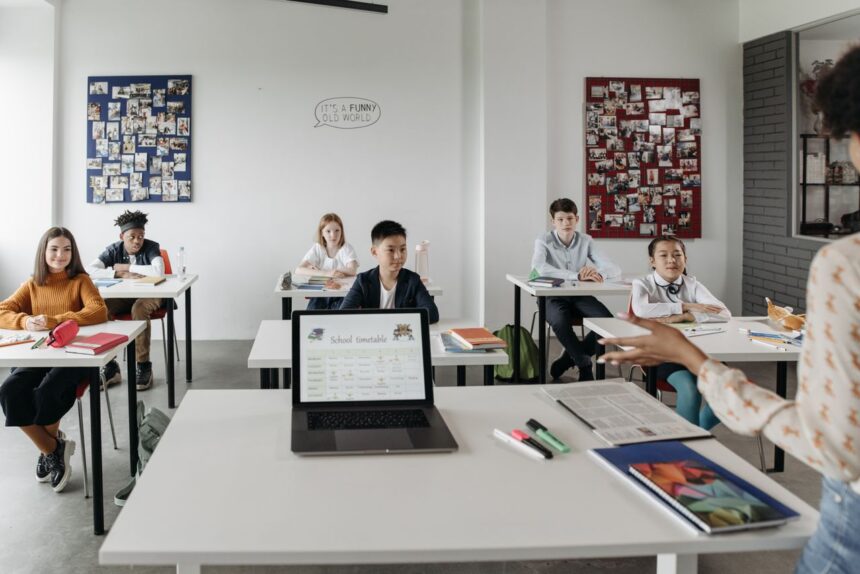
Teachers don’t have a curiosity problem with AI; they have a time problem, a trust problem, and a “which of these forty tools actually matters” problem. This guide deals with all three. It covers the free educator plans worth claiming right now (two of the biggest are genuinely free, not trials), the classroom tasks where AI reliably pays off, the specialist tools that have risen to the top, and the guardrails that keep student data and your professional judgment protected.
One framing before anything else: the teachers getting real value from AI aren’t using it to teach. AI for teachers in 2026 is primarily a support system, helping with lesson planning, differentiation, assessments, feedback drafting, and classroom organization, not direct instruction. Teachers use it across the full teaching cycle while keeping instruction human-led, and the most effective use happens behind the scenes, reducing prep time and decision fatigue without increasing student screen time. Everything below follows from that.
What the Numbers Actually Say
The best data we have on classroom AI comes from the Walton Family Foundation–Gallup “Teaching for Tomorrow” study, and its headline finding is striking: teachers who use AI tools at least weekly save an average of 5.9 hours per week, amounting to six weeks over the course of the school year. The study wasn’t small, either: it surveyed 2,232 U.S. teachers working in public K-12 schools, recruited from the RAND American Teacher Panel, a nationally representative, probability-based panel.
Adoption is real but far from universal. Six in 10 teachers use AI tools for their work, and three in 10 are using them at least weekly, meaning frequency, not access, is what separates teachers who feel the benefit from those who don’t. Weekly AI users save an average of 5.9 hours each week, twice as much time as those who only use AI monthly (2.9 hours per week).
Where does the time come from? Out of a list of nine tasks, teachers are most likely to report that AI saves them time when creating worksheets or assessments, doing administrative work, or preparing lessons. Quality holds up too: a majority say AI tools improve the quality of their work; 64% say it improves the quality of materials adapted to meet student needs; 61% report higher-quality insights from student learning and achievement data; and 57% see improvements in the grading and feedback they provide.
One honest caveat worth carrying with you: Gallup asked weekly AI users to estimate time saved on each of nine tasks in half-hour increments and summed the totals so the six-week figure is a credible self-report, not an independently observed measurement. Your mileage will depend heavily on which tasks you hand over.
Start Here: Two Free Educator Plans Worth Claiming
Before paying for anything, claim what’s free. Two offers stand out in 2026.
ChatGPT for Teachers
OpenAI now runs a dedicated educator plan, and the terms are generous: ChatGPT for Teachers is free for verified U.S. K–12 educators through June 2028. You’re eligible if you work for an accredited U.S. K–12 school or district as a teacher, staff member, school leader, or district administrator. (You may see June 2027 in older coverage; OpenAI’s current official pages extended it.) You verify your educator status through SheerID, then create a workspace to use on your own or invite other teachers in your school or district.
The privacy posture is the real story here, because it addresses the reason many districts hesitated. Anything you share with ChatGPT for Teachers is not used to train OpenAI’s models by default, and the workspace is built to protect student data and help schools meet FERPA requirements. Practically, it works like the business tier rather than the consumer app: it creates a shared workspace that allows collaboration with colleagues and includes administrative controls, functioning more like the version businesses use, which is why the privacy posture is so much stronger. One practical way to think about it: treat the workspace as a virtual staff room, a separate environment from your personal chat history, so school planning stays distinct from personal queries.
The limits are strict, though. This plan is not for students. And it’s currently limited to the U.S. K-12 system, which is why university professors and international educators cannot claim it directly.
Gemini for Education and Gemini in Classroom
If your school runs on Google Workspace, you likely already have the second big free offer. Google provides Gemini in Classroom to all educators with Google Workspace for Education accounts at no cost, including over 30 AI tools to help teachers create content, brainstorm ideas, and differentiate content for students. The broader package is substantial: Gemini for Education is a version of the Gemini app purpose-built for education, providing default access to premium AI models plus enterprise-grade data protection and an admin-managed experience all included in your Workspace for Education edition free of charge.
Its real advantage over a standalone chatbot is context. Unlike standalone AI tools, Gemini lives inside the tools teachers already use—a side panel in Google Classroom, Docs, Slides, Sheets, Gmail, and Meet—and when connected to Classroom, it draws on your actual class context (students, assignments, materials) rather than working from generic prompts.
Two features deserve special mention. First, Gems reusable custom assistants. These are custom versions of Gemini you create once and reuse throughout the year as a specialized assistant trained on your instructions, tone preferences, and reference materials. Once built, a Gem can be assigned directly in Google Classroom, where students access it from their Classwork page. Second, audio lessons: teachers can use a Gemini-powered tool in Google Classroom that generates podcast-style audio lessons, with options to select grade level, define topics, set learning objectives, and choose conversational styles such as interviews or roundtable discussions.
On privacy, the education version is a different product from consumer Gemini: student data is never used for model training, no human employees review student queries, and all interactions stay within the organization’s data boundaries.
Five Classroom Workflows That Reliably Pay Off

Rather than a tour of features, here’s where the time savings actually live matched to what the Gallup data says teachers use most.
1. Lesson planning and materials. This is the highest-volume use for a reason. Teachers commonly use general assistants to create lesson plans for different grade levels, differentiate instruction for students with different abilities, generate quizzes for revision, create discussion questions that encourage critical thinking, rewrite explanations in simpler language, brainstorm classroom activities, and create rubrics for assignments. The trick is treating output as a first draft; you supply the pedagogy, and it supplies the typing.
2. Differentiation. Producing three reading levels of the same passage used to be an evening’s work; now it’s minutes. It’s also where teachers report the clearest quality gains; 64% say AI improves the quality of materials adapted to meet student needs.
3. Feedback drafting (not grading). Note the distinction. Gemini in Google Classroom lets teachers automatically draft feedback comments, get rubric-aligned suggestions based on student performance, and highlight areas of improvement for each student, but the judgment call on the grade should stay yours. There’s a telling gap in the data here: 74% of AI-using teachers said administrative work improved in quality, but only 57% said the same about grading and feedback, the widest quality-confidence gap between any two tasks. Teachers themselves are telling you where to be careful.
4. Parent and admin communication. Drafting the third version of a diplomatic email is exactly the kind of work worth outsourcing. In Gmail, teachers can draft responses, summarize email threads, and compose messages that reference class materials.
5. Teacher-led student experiences. The newest and most interesting category: AI that students touch, but that you control. Educators can select resources from their class and instantly create an interactive study guide and podcast-style audio overviews for students, grounded only in the materials educators upload. Assigned Gems work similarly, with a pedagogical layer underneath: because LearnLM powers Gems under the hood, they lean into pedagogical best practices, guiding students toward understanding rather than just handing over answers.
Specialist Tools: When a General Chatbot Isn’t Enough
For many teachers, ChatGPT-for-Teachers plus Gemini covers 80% of the workload. The specialist edtech tools earn their place in specific niches, and the 2026 consensus across reviewers is fairly consistent: MagicSchool AI is the best all-in-one classroom toolkit, Diffit is the best for differentiating reading material, ChatGPT and Claude are the best flexible assistants, and Khanmigo is the best free student tutor.
| Tool | Niche | Worth Knowing |
|---|---|---|
| MagicSchool AI | All-in-one teacher toolkit | Purpose-built for the classroom with 80-plus teacher tools, IEP support, and district privacy agreements |
| Diffit | Leveled reading material | Unmatched for leveled worksheets from any text |
| Brisk Teaching | In-browser feedback | Fastest for inline grading and browser-based feedback, works inside Google Docs |
| Khanmigo | Student tutoring | Khan Academy’s Khanmigo is the strongest for one-on-one tutoring. |
| Gradescope | Assessment grading | Particularly valuable for math, science, and any subject with structured written responses |
Budget reassurance: you can trial this entire category for free. MagicSchool, Diffit, and Brisk Teaching all offer free plans for individual educators. For US teachers specifically, MagicSchool’s compliance credentials matter for getting district sign-off; its documented compliance posture (SOC 2, FERPA, COPPA) is built for US district procurement.
Resist the urge to adopt all of them. Most teachers in 2026 run two or three tools together, each matched to a phase of the teacher workload.
The Guardrails: Keeping AI in the Classroom Safe and Honest
This section matters more than the tools, so it gets its own space.
Never paste identifiable student data into consumer AI. The educator plans above exist precisely because consumer chatbots may train on your inputs. Use the FERPA-aligned workspaces for anything touching student work, and even there, safe, ethical use requires avoiding personal student data and reviewing AI outputs for accuracy. Names, grades, IEP details, and behavior notes don’t belong in a consumer chat window, full stop.
Check everything before it reaches students. Google’s own guidance to educators is blunt on this point: Gemini can make mistakes; always double-check responses for accuracy, and when you use generated content, you should always check and refine the output so that it fits your context and local policies before assigning to students. Real-world experience backs this up. One educator’s reaction in Education Week coverage is a useful reality check: a middle-school teacher said that while the tool can save time, “it’s been pretty unreliable…I spent all this time fixing the formatting when I could have just made it myself.” The skill gap is real; other educators noted that AI can help generate lesson ideas or differentiate worksheets for students at different reading levels, but only when teachers understand how to guide it properly.
Keep judgment tasks human. A useful rule from teacher-trainer Dan Fitzpatrick: “Outsource the doing, not the thinking.” Formatting worksheets is done. Deciding what a struggling student needs next is thinking. Recognized limitations of classroom AI include risks of accuracy, bias, over-reliance, and a loss of pedagogical judgment when used without structure, and every one of those risks shrinks when the human stays in the loop on decisions.
Know your school’s policy before you experiment. Access rules and student-facing features vary by district settings, and if students will touch any AI, that needs admin awareness. Gemini in Classroom, for instance, is only available to students if enabled by your Google Workspace administrator.
A Realistic First Month
If you’re starting cold, don’t build an AI-powered everything. One experienced recommendation worth following: start with one tool and use it daily for a fortnight. A month might look like this:
- Week 1: Claim your free plan ChatGPT for Teachers (US K–12) or your school’s Gemini for Education access. Use it only for next week’s lesson materials.
- Week 2: Add one differentiation task: take an existing passage or worksheet and produce two additional reading levels. Compare against what you’d have made by hand.
- Week 3: Draft (not send) your parent emails and admin paperwork with AI, editing before anything goes out.
- Week 4: If a gap remains, say faster feedback on the essay trial one specialist tool’s free tier to fill it.
By the end, you’ll know from your own timesheet whether the “AI dividend” is real for your workload, rather than taking a survey’s word for it.
The Takeaway
AI in the classroom works best as a preparation engine, not a teaching replacement. The evidence says regular users get meaningful time back an average of six weeks over the course of the school year for weekly users, and that time comes mostly from worksheets, planning, differentiation, and admin—the tasks that were never the reason anyone became a teacher. Claim the free educator plans, keep student data out of consumer tools, verify everything before it reaches a child, and hold the line on the one thing no model can do: knowing your students. As Google’s own educator guidance puts it, AI can never replace the expertise, knowledge, or creativity of an educator, but it can be a helpful tool to elevate teaching and learning.
External Sources:
- OpenAI—ChatGPT for Teachers official page and Help Center
- Google for Education — Gemini for Education
- Google Classroom Help—Gemini in Classroom documentation
- Gallup / Walton Family Foundation — “Teaching for Tomorrow” teacher AI survey (2,232 U.S. public school teachers)
- TechCrunch — Google Classroom audio lesson feature coverage
- Education Week (via industry coverage)—teacher reactions to ChatGPT for Teachers