

If you’ve opened ChatGPT once, typed a question, gotten a mediocre answer, and closed the tab you’re in good company. That’s how most people’s first attempt goes, and it’s rarely the tool’s fault. To use ChatGPT effectively, you need to understand that it works best as an interactive system, not a one-step solution. The real value comes from refining responses, adding context, and guiding the output toward what you actually need.
This guide covers the whole path: creating a free account, understanding what the free plan actually includes in 2026 (it changed this year), writing prompts that get useful answers, and the mistakes that make beginners give up too early. No technical background needed. By the end, you’ll know how to have a productive back-and-forth with ChatGPT instead of a disappointing one-shot exchange.
What ChatGPT Actually Is (in One Minute)
ChatGPT is an AI chatbot made by OpenAI. You give it a message known as a prompt, and it replies with a direct, conversational answer. It can speed up everyday tasks, help you think through decisions, and turn rough ideas into organized drafts.
The key mental model: it’s a conversation partner, not a search engine. A search engine gives you links; ChatGPT gives you a draft, an explanation, or a plan that you then refine by replying. In 2026, it can help you write, research, study, plan, analyze files, create images, speak by voice, and work through complex problems in a conversational way.
Two terms worth knowing before you start:
- Prompt the message or question you type to ChatGPT
- Hallucination when ChatGPT makes something up, claiming it’s true but it isn’t
That second one matters more than beginners expect. We’ll come back to it.
Step 1: Create Your Free Account
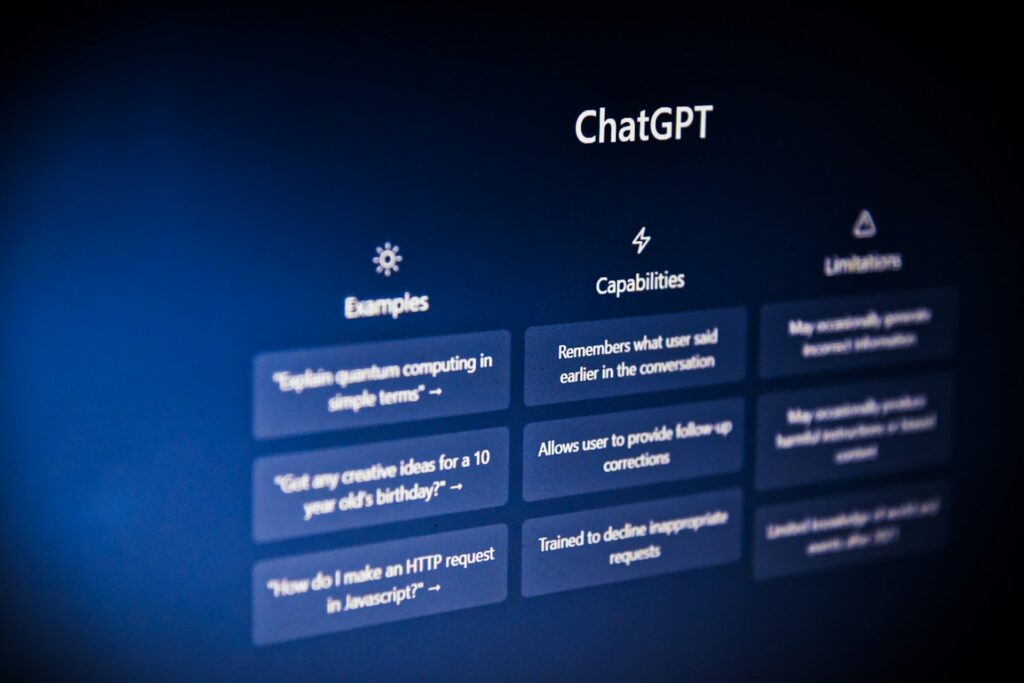
Setup takes a couple of minutes, and you don’t need a credit card.
- Go to chatgpt.com in your browser, or download the official ChatGPT app for your phone or computer.
- You can create an account using your email address or a supported sign-in option. Google, Microsoft, or Apple accounts all work.
- If you sign up with email, type your address, create a password, and check your inbox for a verification email. Click the confirmation link inside this, which takes under 60 seconds.
Once you’re in, the interface is deliberately simple. When you open ChatGPT, you will usually see a message box at the bottom of the screen. This is where you type your request. Type something, press enter, and you’re using ChatGPT. Everything else in this guide is about doing that well.
What the Free Plan Includes in 2026
The free tier is a real product, not a demo, but 2026 brought some changes worth knowing before you start.
What you get. At the free tier, users get access to a handful of other features to round out the ChatGPT experience, including web search and image generation. You also get a basic reasoning. Option: free accounts are limited to just a single reasoning mode. Tapping the Think button will prompt ChatGPT to take additional time to generate a response.
Which model are you using? As of August 2026, OpenAI limits free accounts to using just one of its models: GPT-5.6 Luna. Luna is the smallest of the company’s recently released GPT-5.6 family of large language models. Access to the company’s other models, including GPT-5.6 Terra and Sol, requires a subscription. For a beginner, the free model is more than capable; you won’t feel the difference until you’re doing heavy research, coding, or long-document work.
The new catch: ads. This is the biggest recent change. OpenAI started testing ads on the Free and Go tiers in the US in February 2026. Plus and Pro remain ad-free.
Usage limits. Free accounts have message caps that reset over time, and OpenAI adjusts these regularly, so exact numbers vary. The practical version: OpenAI says free accounts can send a limited number of messages before switching to a smaller model until the limit resets. If you’re an occasional user, you may never notice.
Free vs. Paid: Should a Beginner Pay?
Short answer: no, not yet. Beginners can start with the free version and upgrade later if they need higher usage limits, advanced models, file analysis, research tools, or business features.
When you do outgrow the free tier, the individual plan lineup in 2026 looks like this: Go, Free, and Plus plans are designed to be used by individuals, with Pro sitting above them. Plus, at approximately $20 per month, it adds priority access, faster responses, and expanded GPT capabilities for individual power users. Pro is a $200 per month individual plan for research and coding work, with substantially more usage than Plus. Go is the budget middle option. ChatGPT Go is for light users who are happy with what the free version has to offer but occasionally run into usage limits.
If you’re worried about committing, OpenAI doesn’t offer a free trial, but you can subscribe for one month and cancel if it doesn’t meet your needs. There’s no cancellation penalty.
One more for educators specifically: OpenAI offers ChatGPT for Teachers, a free plan for verified U.S. K–12 educators through June 2027 worth claiming if you qualify.
Step 2: Write Your First Real Prompt
Here’s where most beginners go wrong. They type “write about marketing” and get something generic, because a vague request produces a vague answer. Generally, the more specific you are with what you ask for, the more accurate the answer you receive.
A simple structure that works for almost everything: who ChatGPT should act as, what you need, the context, and the format you want back.
Compare these two prompts:
Weak: “Give me dinner ideas.”
Better: “Act as a meal planner. Suggest five weeknight dinners for a family of four. One kid won’t eat fish, we have about 30 minutes to cook, and we’re trying to keep grocery costs down. Format it as a simple list with a short shopping note for each meal.”
Same tool, wildly different results. The second prompt tells ChatGPT the audience, the constraints, and the output format—the three things it can’t guess on its own. Write as if you are explaining your task to a helpful assistant. ChatGPT works better when you explain the situation clearly.
A few more elements worth including when they’re relevant:
- The audience. If you need a how-to guide for beginners, make sure the output is beginner-friendly.
- A reference. Sometimes it makes sense to provide a point of reference if you want to get something similar. This can be a sample text or image, a summary, or you can refer to a particular author, style, etc.
- Don’t overthink it. In many cases, it won’t be necessary to consider all of these points when creating a prompt. For quick questions, just ask.
Step 3: Treat the First Answer as a Draft
This is the single habit that separates people who find ChatGPT useful from people who don’t. ChatGPT is conversational, so you can keep improving the answer. The first answer does not have to be final.
Within one conversation, it remembers what you’ve discussed in the back-and-forth session you’re having. ChatGPT remembers the context within a single conversation. So instead of writing one giant perfect prompt, you can steer as you go:
- “Make it shorter.”
- “That’s too formal; rewrite it like I’m texting a friend.”
- “Good, but the second point is wrong. Here’s what actually happened: [context]. Revise.”
- “Now turn that into a table.”
Think of it like briefing a capable but literal-minded assistant. You wouldn’t expect a human assistant to nail a task from a one-line instruction with no follow-up; don’t expect it here either.
Five Practical Ways Beginners Can Use ChatGPT This Week
Rather than a list of forty use cases, here are five with the exact kind of prompt to try:
1. Explain something you don’t understand. “Explain how mortgage interest works like I’m 15, then give me one realistic example with numbers.”
2. Fix your writing. Paste an email draft and ask: “Make this clearer and friendlier; keep it under 100 words.” It can speed up everyday tasks, help you think through decisions, and turn rough ideas into organized drafts.
3. Plan something. A trip, a week of workouts, and a study schedule. Give it your constraints (time, budget, fitness level) and ask for a plan, then refine it.
4. Prepare for a conversation. “I’m asking my manager for a raise. Play the role of a skeptical manager and let me practice. After my responses, give feedback.”
5. Summarize and question documents. Upload a file and ask questions about it. Note that file uploading is limited for ChatGPT Free users to 3 files per day, so save uploads for documents that matter.
For voice interaction, the mobile app is worth exploring too. Talking through a problem hands-free while cooking or commuting is one of those features people don’t try and then can’t live without.
The Mistakes That Make Beginners Quit
Trusting it blindly. ChatGPT sounds confident even when it’s wrong. Remember hallucinations: they can state false things fluently. For anything factual that matters (medical info, legal questions, statistics, citations), verify with a real source. Use ChatGPT to understand topics, not as your final authority.
Asking one vague question and giving up. Most beginners type one vague question, get a mediocre answer, and give up. That’s a shame, because the tool is genuinely powerful once you understand a few simple rules.
Pasting in sensitive information. This one deserves attention. On the individual plans, your conversations may be used to improve OpenAI’s models: Free, Plus, and Pro users must opt out to prevent chats from improving OpenAI’s models. The opt-out lives in your account’s data controls settings; flip it if you plan to discuss anything personal or work-confidential. Better yet, keep passwords, financial details, and private client information out of chats entirely.
Using it for things it’s bad at. Precise math on large numbers, very recent events (unless it searches the web), and anything requiring genuine expertise it can’t verify. Knowing the limits is part of using the tool well.
A Simple First-Week Plan
You don’t need a course to get comfortable; you need reps. Start with 15 minutes today to create your account, try three prompts, and refine one of them.
- Days 1–2: Ask it to explain three things you’ve always been fuzzy on. Push back with follow-up questions.
- Days 3–4: Use it on real writing, an email, a message, or a post. Always ask for a revision of the first draft.
- Days 5–6: Try a planning task with real constraints, and try voice mode on the app.
- Day 7: Look back at what worked. The prompts that got good results are your templates going forward.
The goal isn’t to memorize prompt formulas. It’s to build the instinct of giving context, stating the format you want, and iterating the same way you’d work with a person.
The Takeaway
Getting started with ChatGPT as a beginner comes down to three things: sign up free at chatgpt.com, be specific about what you want and who it’s for, and treat every first answer as a rough draft you refine through conversation. Stay skeptical about facts, keep private information out of your chats, and don’t pay for a subscription until the free tier’s limits actually get in your way. Do that for a week on real tasks, not test questions, and you’ll be past the awkward beginner stage faster than any tutorial can take you.
External Sources:
Read More On AIGLOBALCLASS